
LogRider
Open the log that won’t open.
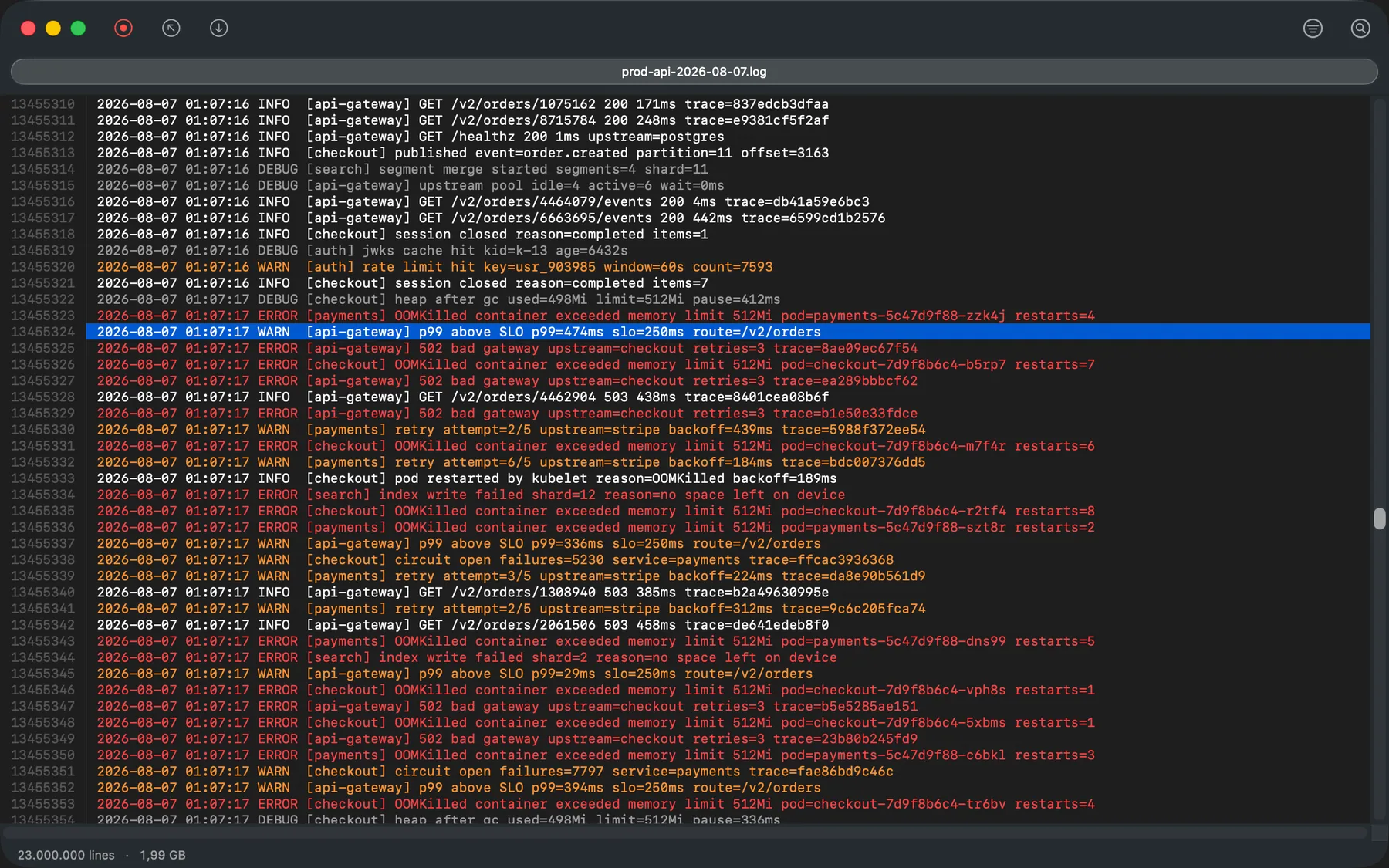
A native Mac viewer for log files too big for your editor. Memory-mapped, so the file never has to fit in RAM.
Free for 7 days — no card, no account.
In version 1.0.4
Everything it does
Files bigger than your RAM
Memory-mapped. The file is never read into memory, so its size stops mattering, and jumping to line sixty million is a seek rather than a scan.
Search the whole file
Next, previous, wrap-around, and a match count that climbs while the scan is still running.
Filter by log level
Collapse the file to the errors, or any mix of DEBUG, INFO, WARN, ERROR and FATAL, from the toolbar.
Filter by regex, with context
RE2 patterns, applied on Return. Open 3, 10 or 50 lines around a match without dropping the filter; close it and the filtered view is exactly as you left it.
Follow live files, with a pause
Watch a file grow, and pause the view without stopping the read. Streaming and Follow are separate switches.
Export what you filtered
Write the filtered view to a new file: the two hundred lines that mattered, without the gigabytes around them.
Read the JSON inside a log line
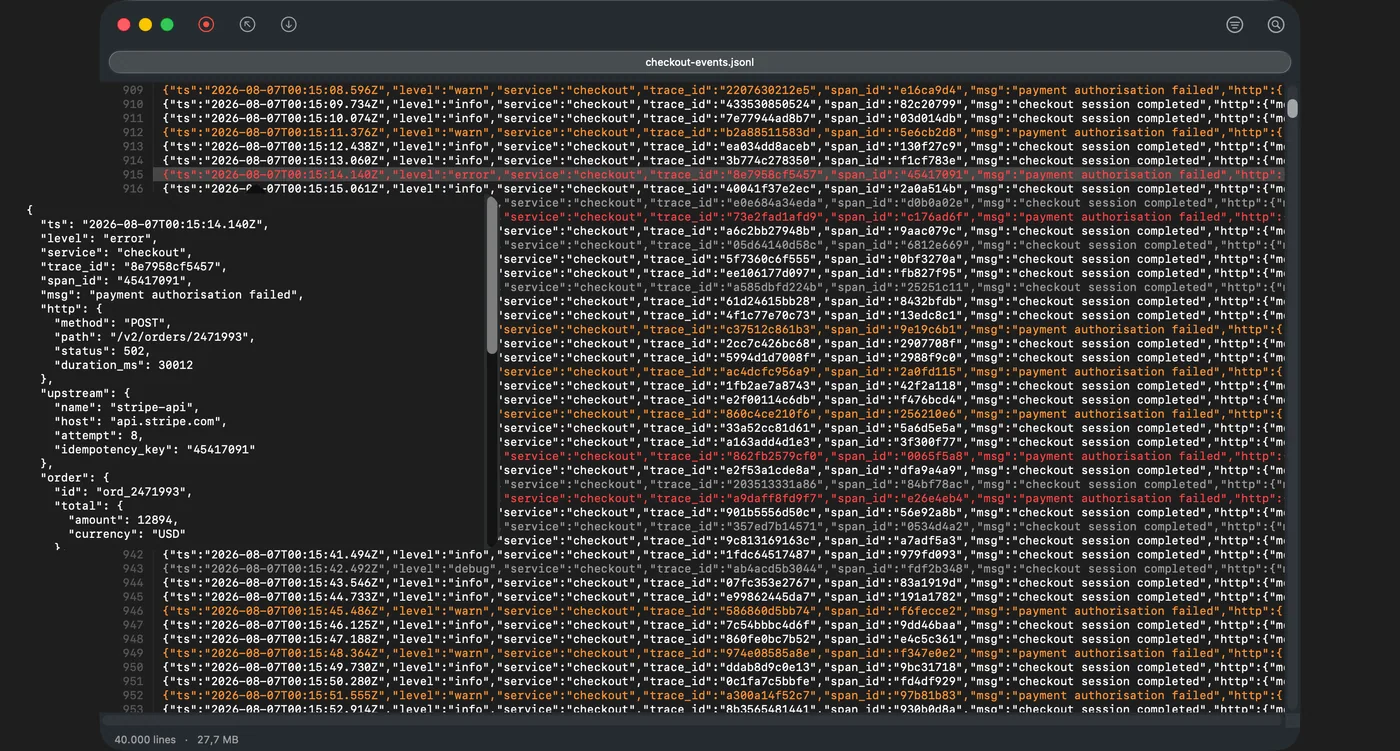
A structured log line is one very long line until you open it. ⌘J pretty-prints the payload in place.
Point an AI agent at it
A bundled MCP server lets an assistant search and read a multi-gigabyte log without pulling it into context, plus a Claude skill telling it how. It restricts the agent to the directories you name.
Reads what other Mac viewers can't
UTF-16, big-endian and CRLF included, which is what Windows, .NET and PowerShell write. Most Mac viewers render those as blank lines.
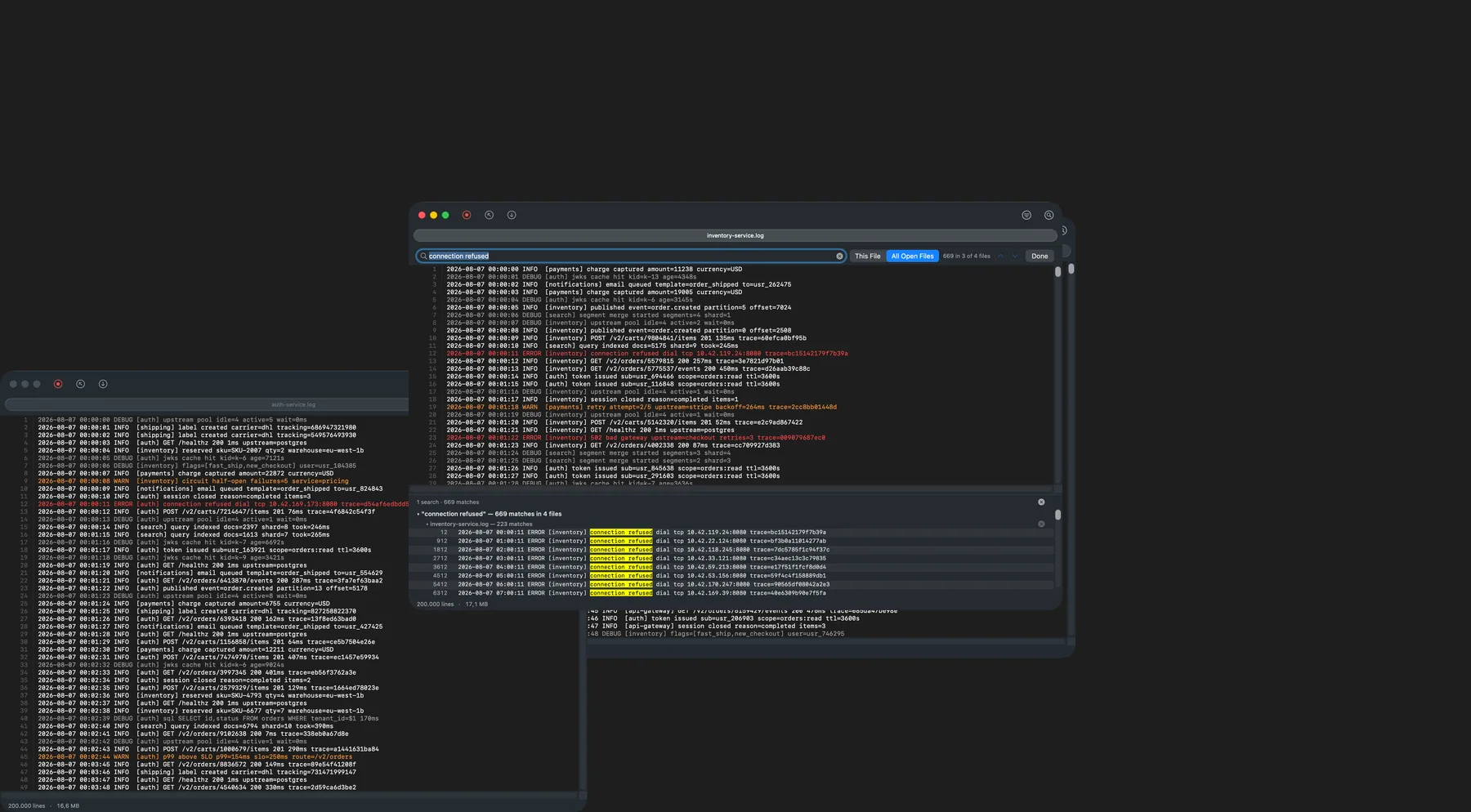
Every match in one list
A results pane with all of them, not just the next one. Nothing is materialised, so a hundred thousand matches cost what three do.
Search across open files
One query over every file you have open. An incident is rarely one log.
Setting up the MCP server: configuration and the seven tools.
What it looks like
The same file, five ways
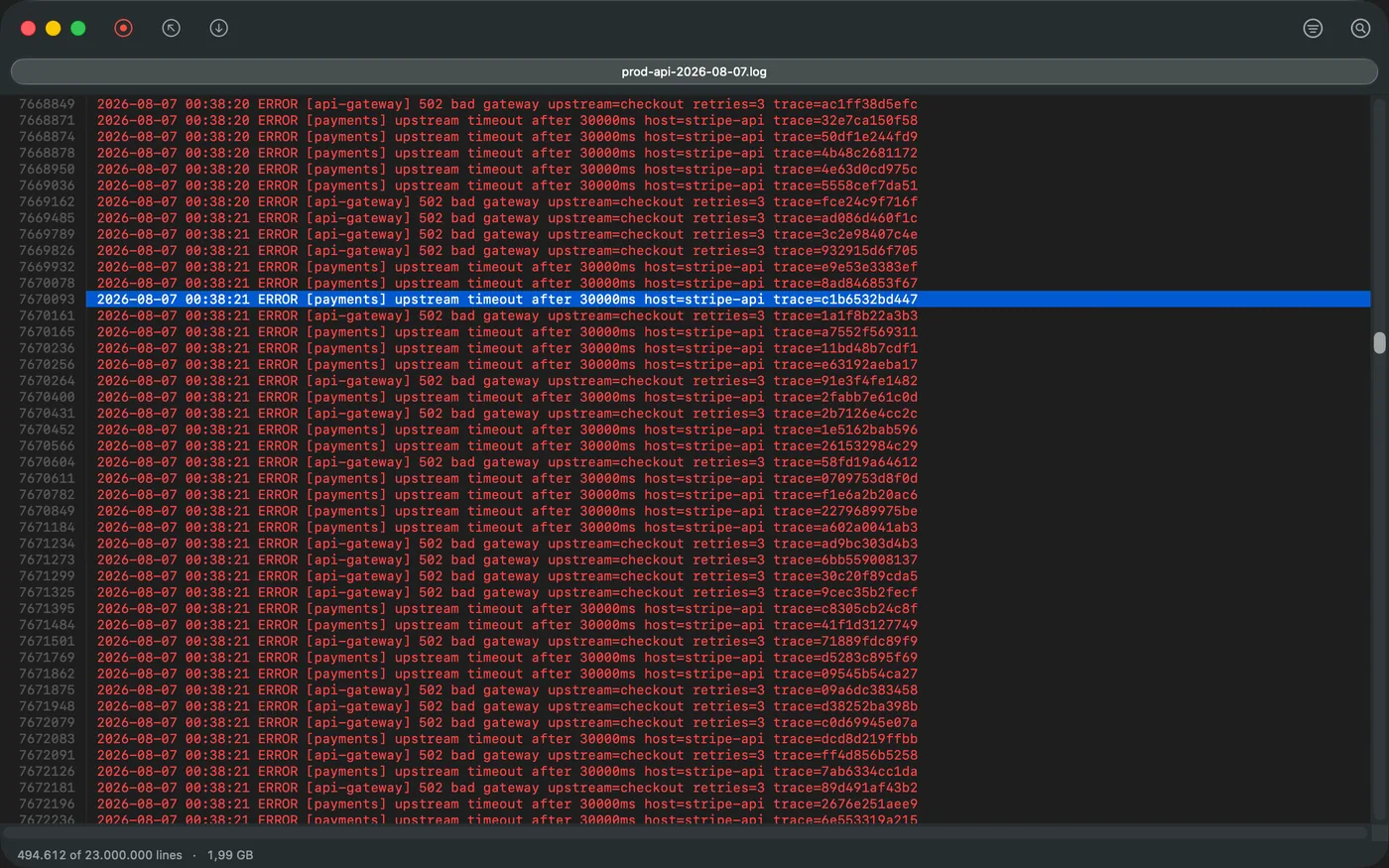
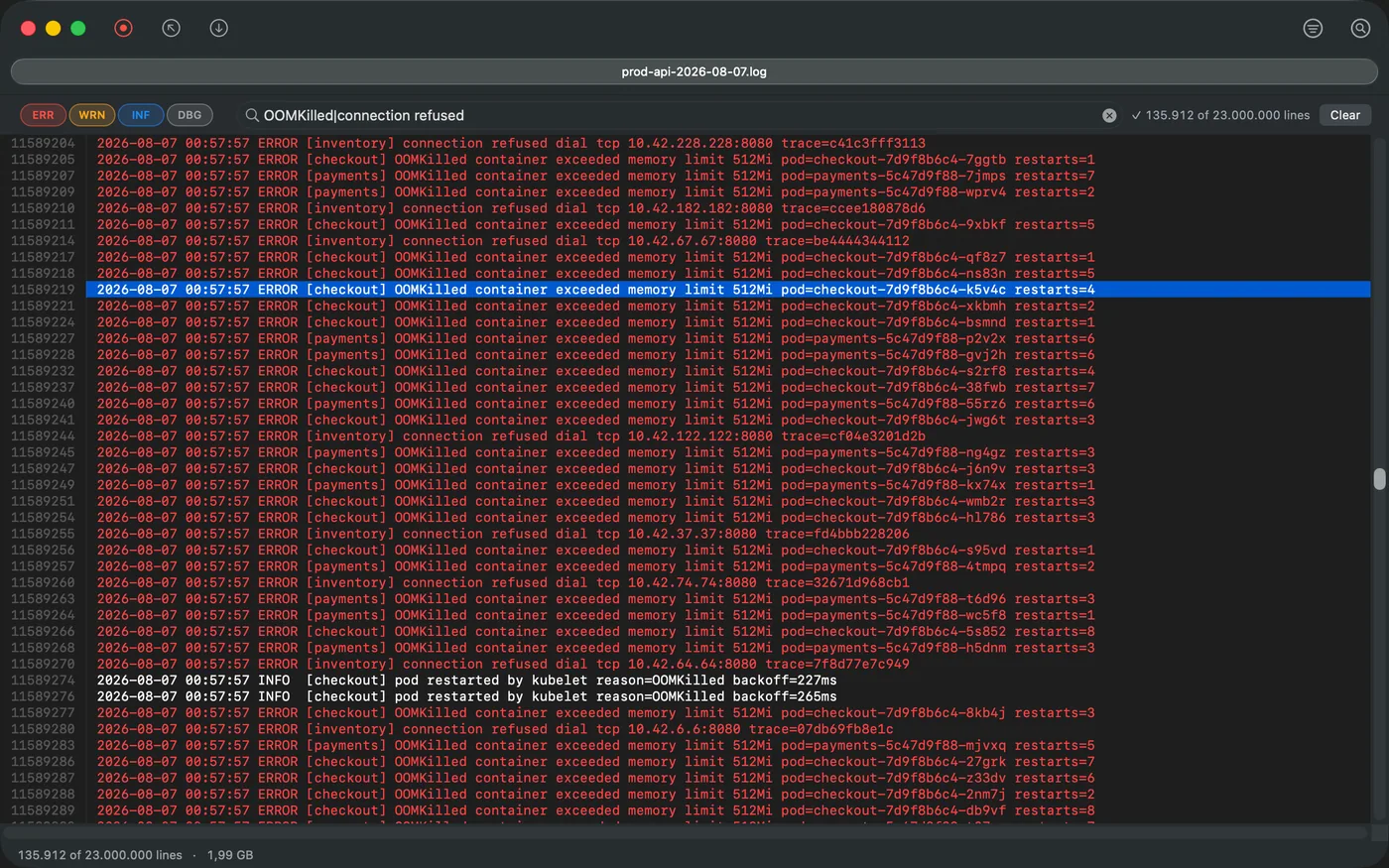
OOMKilled|connection refused takes 23 million lines to 135,912.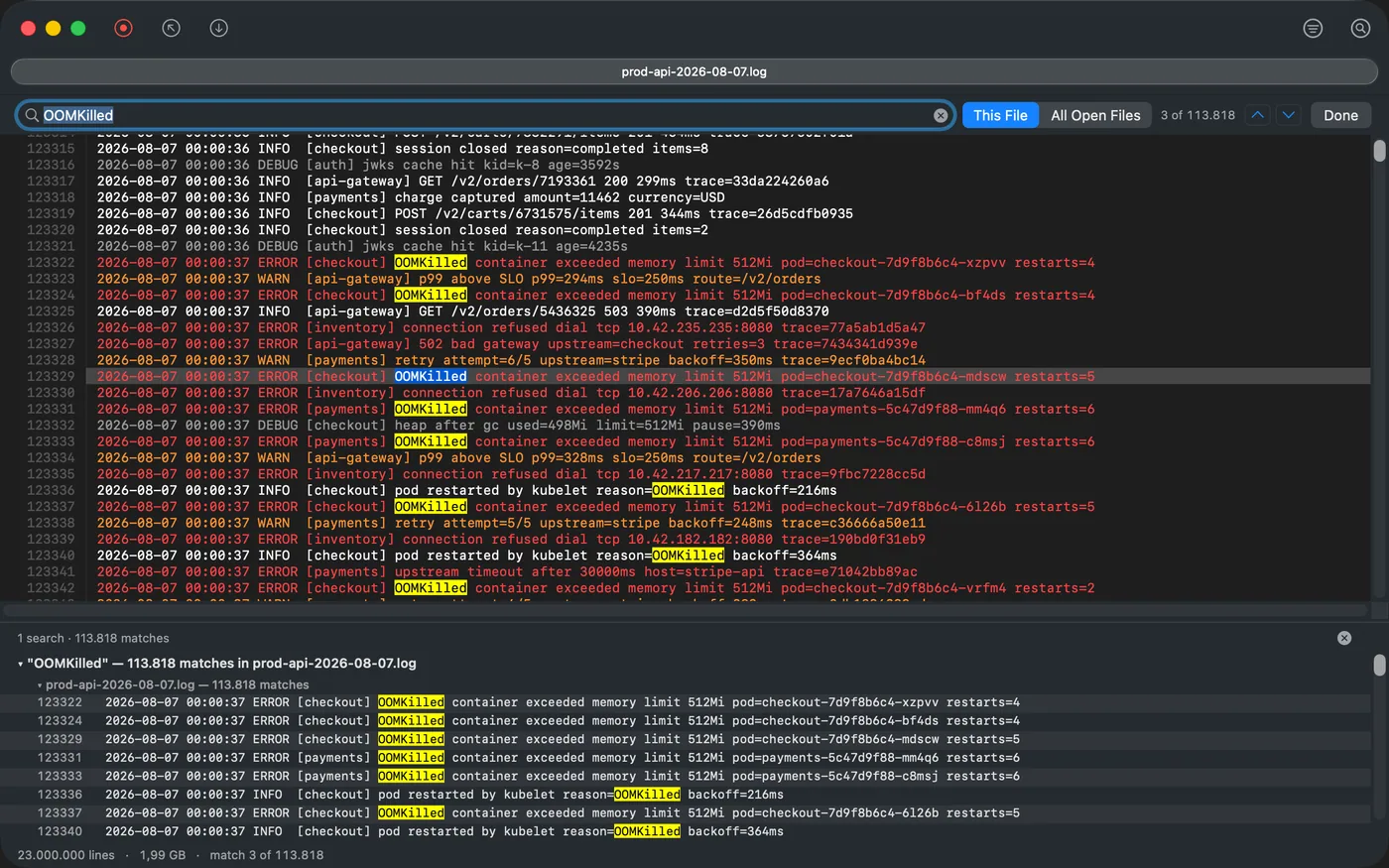
Live files
Follow a file while it’s being written
The view stays pinned to the newest line as the file grows. Pause it without stopping the read — Streaming and Follow are separate switches.
Pricing
One price. No subscription.
Pay once. No subscription, no seats, no renewal.
- The trial is just the download. 7 days, every feature unlocked, no card, no email, no account.
- A year of updates from the day you buy. The app keeps working after that.
- One person, any number of your own Macs.
- Your licence activates offline against a signature in the app — no licence server to phone, nothing to log in to.
- Requires macOS 12.0 Monterey or later. Universal — Apple silicon and Intel.
- Signed with a Developer ID and notarized by Apple — it opens normally, with no right-click-to-open ritual and nothing to override.
Where it sits
What each of these is for
| LogRider | less / tail | klogg | Beyond Compare | Kaleidoscope | |
|---|---|---|---|---|---|
| What it is | Native Mac log viewer | Terminal pagers | Qt log viewer | Diff/merge tool | Diff/merge tool |
| Price | $19 once | Free | Free | ~$35 once | $8/mo (~$96/yr) |
| Mac-native UI | AppKit | Terminal | Qt | Cross-platform toolkit | AppKit |
| Built for very large files | Yes — memory-mapped | Streams, no index | Yes | Not its focus | Not its focus |
| Search, filter & follow together | Yes | Separate tools | Yes | No | No |
| Diff | Not in 1.0 | No | No | Full diff & merge | Full diff & merge |
less and klogg are free and good; if they work on your files, use them. Beyond Compare and Kaleidoscope are diff tools, which 1.0 isn’t. Prices checked July 2026. The longer version, with the commands: how to open a large log file on macOS.
Under the hood
Why it’s built this way
A C++17 engine under a real AppKit interface — not Electron, not a web page in a window. Memory-mapped, with a sparse line index built on open — the window fills once that finishes, not before.
Engine
- C++17, no UI deps
- Memory-mapped I/O
- Sparse line index
- RE2 regex
- Literal fast path
Interface
- AppKit / Swift
- Native window tabs
- Dark & light
- Virtual scrolling
- Sparse index
Behaviour
- Read-only
- No telemetry
- No account
- No uploads
- Offline activation
RE2 means a regex runs in linear time — a pattern you typed by accident can’t send it into catastrophic backtracking — and plain text searches skip the regex engine entirely.
Measured, not estimated
How long things actually take
| 1 GB · 12.5M lines | 1.99 GB · 23M lines | 4.9 GB · 60.6M lines | |
|---|---|---|---|
| Index on open | 2.3 s cold · 0.3 s cached | — | about 13 seconds |
| Filter to one log level | 0.06 s cached | 0.13 s cached | under 8 seconds |
| Literal search, whole file | 0.07 s cached | 0.14 s cached | — |
| Regex filter | — | 0.20 s cached | — |
Measured 8 August 2026 on an M2 Max with 32 GB, on internal SSD, release build. Apple silicon numbers — no timing has been taken on Intel hardware. “Cached” means the file was already in the page cache; the 4.9 GB file is larger than the cache on a 32 GB machine, so storage is the ceiling there. Opening builds a line index and nothing is on screen until it finishes — on the 4.9 GB file that is roughly thirteen seconds of empty window. We publish no MB/s figure: cache state moves throughput by about 28x, so one number would be a cached measurement dressed up as a general one.
Privacy
What it sends, exactly
The only network request LogRider makes is a once-a-day check for a new version. It sends the app version and nothing else, and you can switch it off.
No telemetry, no account, nothing uploaded. Read-only. Your licence activates locally.
Questions
Opening large logs on a Mac
Can LogRider open a 5 GB log file?
Yes. LogRider memory-maps the file instead of reading it into memory, so the file never has to fit in RAM and its size is not bounded by how much memory the Mac has. The largest file in our published benchmarks is 4.9 GB and 60.6 million lines, measured on an M2 Max with 32 GB, on internal SSD — larger than that machine's page cache, so storage is the ceiling. It takes about 13 seconds to index when you open it, and the window is empty until that finishes. After that, filtering the whole file to a single log level takes under 8 seconds.
How long does a large log take to open?
Opening builds a sparse line index first, and nothing is displayed until that completes — there is no partial first screen. On an M2 Max with 32 GB, on internal SSD: a 1 GB file indexes in 2.3 s cold, or 0.3 s when the file is already in the page cache; a 4.9 GB file takes about 13 seconds. Once indexed, jumping to line sixty million is a seek, not a scan.
Why won't my log open in a text editor?
A text editor loads the file into memory and builds the structures it needs to edit it — undo history, syntax state, a line map for the whole document. That cost scales with file size, which is why a multi-gigabyte log either fails outright or makes the editor unusable. LogRider is read-only on purpose: it maps the file, indexes line offsets, and never holds the contents.
Does it work on Intel Macs?
Yes. LogRider 1.0.4 ships as a universal binary — x86_64 and arm64 — and requires macOS 12.0 Monterey or later. Every performance figure published here was measured on Apple silicon, so treat the timings as Apple-silicon numbers.
Can it follow a file that is still being written?
Yes. Follow mode keeps the view pinned to the newest line as the file grows, and Streaming and Follow are separate switches, so you can pause the view without stopping the read. Filters and searches stay applied while the file grows.
Does it send my logs anywhere?
The only network request LogRider makes is a once-a-day check for a new version. It sends the app version and nothing else, and you can switch it off. No telemetry, no account, nothing uploaded, and the licence is verified on your Mac against a signature rather than against a server.
What does it cost, and is there a trial?
$19 once — not a subscription, and the same price everywhere. The trial is simply the download: 7 days with every feature unlocked, no card, no email and no account. Purchase includes a year of updates from the day you buy, and the app keeps working after that.
Can LogRider compare or diff two log files?
No. File comparison is not in 1.0.4 — it is built in the engine underneath and switched off in this release, because the way you picked the two files was not good enough to ship. Kubernetes log streaming, syntax highlighting, a minimap and custom highlight rules are also not in this version, and there is no Windows or Linux build.
More detail: how to open a large log file on macOS — including the free ways — keyboard shortcuts and reference, or the bundled MCP server.
Install
Download it and see
7 days, everything unlocked, no card and no account. Find out in ten minutes whether it’s fast on your files.